
Air Display1.5.3 - Google Play
You'll be able to see results in few seconds.
Publisher Description
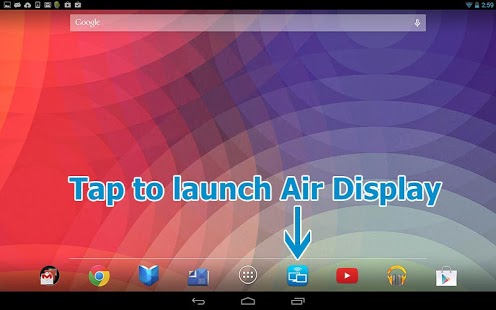
Ever wish you had an extra display for your Mac or Windows computer? There's an app for that. With Air Display, you can use your Android screen as a wireless display, to extend your computer desktop. In order for Air Display to work, your computer and Android device must be connected to the same Wi-Fi network.
Like a wired monitor, Air Display works in two ways:
(1) Extend your computer screen onto a second screen, or
(2) Mirror the contents of your computer screen onto your Android screen.
Air Display's performance is extremely responsive, employing a unique dynamic compression algorithm. On a typical Wi-Fi network, mouse cursor refreshes are indistinguishable from a wired mouse. Air Display works in both landscape and portrait configurations. Just rotate your screen, and it automatically reconfigures. Air Display makes a laptop much more useful by increasing its usable screen size.
Air Display not only gives you a wireless computer screen extender or mirror, but also works as a tablet input device. You can use your finger to draw directly on the screen's surface. Try it with a calculator, painting tool, or music control surface. Simple gestures allow you to operate the right mouse button and scroll wheel. When you rotate the screen, or disconnect and reconnect, your windows are automatically repositioned appropriately, so you don't have to drag them back to the Android screen.
Some great uses for Air Display include:
- Fill your Air Display screen with your utility apps such as iChat, Mail, iCal, and Calculator.
- Graphic design: Make Photoshop and Illustrator usable on your laptop by putting your tool palettes on the Android screen.
- Music: Use your Android screen as a wireless control surface for Logic or Pro Tools.
- Programming: Use the extra display area for such auxiliary development tools as Console, Terminal, and the Debugger.
- Business: Move all of your iWork and Office palettes and inspector windows onto Air Display, and let your document fill the screen.
On first launch, Air Display presents easy instructions for downloading and installing the free companion support software for your desktop computer.
Mac OS X compatibility: Air Display Host requires Mac OS X 10.7 or 10.8 or later.
Windows compatibility: Air Display Host requires Windows 7 or 8. (Windows 7 Starter Edition is not supported.)
Both devices must be on the same Wi-Fi network.
About Air Display
The company that develops Air Display is Avatron Software. The latest version released by its developer is 1.5.3.
To install Air Display on your Android device, just click the green Continue To App button above to start the installation process. The app is listed on our website since 2013-11-11 and was downloaded 0 times. We have already checked if the download link is safe, however for your own protection we recommend that you scan the downloaded app with your antivirus. Your antivirus may detect the Air Display as malware as malware if the download link to com.avatron.airdisplay is broken.
How to install Air Display on your Android device:
- Click on the Continue To App button on our website. This will redirect you to Google Play.
- Once the Air Display is shown in the Google Play listing of your Android device, you can start its download and installation. Tap on the Install button located below the search bar and to the right of the app icon.
- A pop-up window with the permissions required by Air Display will be shown. Click on Accept to continue the process.
- Air Display will be downloaded onto your device, displaying a progress. Once the download completes, the installation will start and you'll get a notification after the installation is finished.
Program Details
System requirements
Download information
Pricing
Version History
version 1.5.3
posted on 2013-11-11
version 1.5.3
posted on 2013-05-31
Several fixes and updates
Disclaimer
Official Google Play Link
We do not host Air Display on our servers. We did not scan it for viruses, adware, spyware or other type of malware. This app is hosted by Google and passed their terms and conditions to be listed there. We recommend caution when installing it.
The Google Play link for Air Display is provided to you by apps112.com without any warranties, representations or guarantees of any kind, so access it at your own risk.
If you have questions regarding this particular app contact the publisher directly. For questions about the functionalities of apps112.com contact us.
